
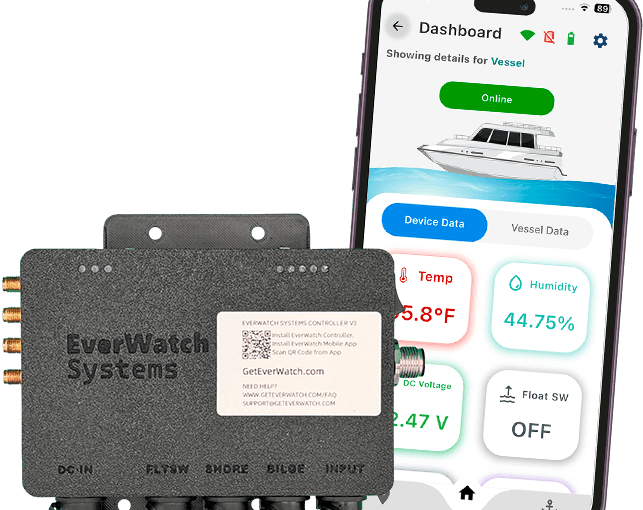
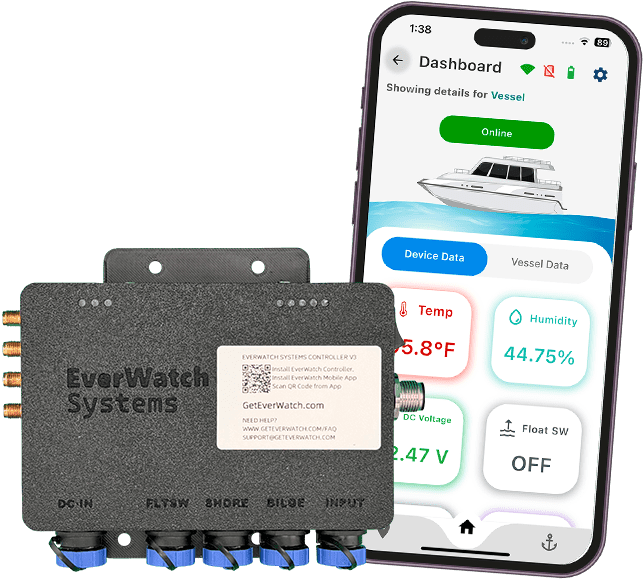
Shore power monitoring for boats isn’t about convenience. It’s about stopping a predictable chain of events that starts with a tripped dock pedestal breaker and ends with dead batteries, failed bilge pumping, and a flooded boat—whether your boat is a family cruiser, a fishing rig, or a liveaboard.
At the dock, most boats are “alive” because shore power keeps the charger running. When that AC feed disappears at 2:00 AM, the boat doesn’t go dark immediately. It quietly starts spending down battery capacity while you sleep.
EverWatch’s dockside risk coverage (power + battery + bilge + intrusion) is summarized in its EverWatch monitoring features overview.
What happens when your boat loses shore power
A typical failure cascade looks like this:
- AC input drops
- Shore cord unplugged, pedestal breaker trips, marina outage, GFCI nuisance trip.
- Battery charger stops charging
- Your house bank is now on its own.
- DC loads keep running
- Refrigeration, stereo memory circuits, alarms, lights left on, and sometimes pumps.
- Battery voltage falls below what your bilge system needs
- Bilge pumps draw high current. As voltage falls, pump performance drops and run time increases.
- Water intrusion turns from manageable to catastrophic
- A float switch sticks, a hose clamp weeps, a livewell line seeps, or rain accumulation overwhelms the system.
The reason this is expensive is that dockside losses are rarely “one thing.” They’re a combination: AC loss + unnoticed DC drain + a bilge event.
EverWatch monitors battery health (12V and 24V banks) and power-loss conditions as part of its EverWatch monitoring features set.
How common are marina power outages?
Power issues are common enough that most marinas and liveaboards can describe the pattern: a storm rolls through, a pedestal takes a hit, a breaker trips, or a neighbor’s issue cascades down the dock.
Even without a marina-wide outage, shore power can drop due to:
- Shore cord not fully seated (heat + expansion + vibration)
- Corrosion at the cord end
- A reversed polarity / GFCI trip scenario
- Overload from onboard loads
The key point: shore power loss is a frequent, plausible trigger, and it’s not “rare enough” to ignore if your boat lives in a slip—especially in high-traffic regional boating areas like the Chesapeake Bay, the Carolinas Northeast Florida coast, or the Georgia Mid Atlantic corridor where weather and dock power variability are part of the reality.
For a broader view of remote monitoring systems that include shore power alerting, editorial lists like BoatingMag’s roundups (search: remote boat monitoring systems) reflect how mainstream this category has become.
What a shore power monitor does and how it works
A shore power monitoring system does two different jobs, and you want both.
Job 1: Detect AC presence reliably
This is the simplest definition of shore power monitoring boat: it answers “Is the boat currently receiving dock power?”
Detection is typically done via:
- A dedicated AC presence sensor on the dock power feed (common)
- A shore power sensor accessory that detects the presence of AC at a specific point
EverWatch supports shore power loss/regain alerts and offers a dedicated add-on shore power sensor that is designed for dock connection monitoring.
Job 2: Confirm the DC system is behaving normally after AC loss
If AC drops, you also need DC visibility:
- Battery voltage (house/engine as appropriate)
- Bilge pump activity changes
- Cabin/compartment temperature (refrigeration risk)
EverWatch covers DC-side monitoring (battery + bilge + temperature/humidity) under its EverWatch monitoring features and the hardware ecosystem on EverWatch controller kit and sensors.
Where the sensor should be placed
In practical installs, you want shore power detection where it represents what your charger sees. If the pedestal is live but your cord or inlet is compromised, you still want an alert that the boat isn’t receiving AC.
What to look for in a shore power monitoring system
Most systems can send a push notification. That’s not the bar. Use this checklist.
Multi-channel alerts (not just app push)
If your phone is in Do Not Disturb or your push delivery is delayed, you want another path. Look for:
- SMS
- Optional phone-call escalation
EverWatch supports multi-channel alerting and describes SMS/email/phone call notification behavior on its EverWatch monitoring features page.
Cellular-first connectivity
Wi‑Fi is helpful but shouldn’t be the only path. If the marina’s AP goes down during a storm, the same storm may also be when shore power is unstable.
EverWatch service options (cellular/Wi‑Fi) are explained under EverWatch service plans.
Battery voltage tracking with meaningful thresholds
A shore power alert is only the first step. The actionable question is:
- “How long do I have until the DC system is in trouble?”
That’s why voltage monitoring should be part of the same system, not a separate gadget—and it’s also why many owners pair monitoring with good marine services relationships (for fast dock checks) and the right parts on hand (spare fuses, clamps, and pump accessories).
Correlated bilge monitoring
When AC drops, owners often discover bilge issues only after the batteries are already low. A strong setup correlates:
- Shore power lost
- Battery voltage falling
- Bilge pump runtime increasing
EverWatch’s bilge-cycle and runtime tracking is described in its EverWatch monitoring features and can be extended with a float switch sensor for bilge monitoring.
How EverWatch detects shore power loss before damage starts
Most “shore power monitoring boat” products focus on AC presence only. EverWatch’s practical advantage is that it’s designed as a full dockside monitoring hub, so a shore power event is not an isolated alert.
What EverWatch monitors around the shore power event
- Shore power loss and regain (so you know exactly when the dock feed failed and returned)
- Battery voltage drift (12V/24V bank monitoring)
- Bilge pump activity (runtime-based warnings; a key early indicator)
- Optional high-water threshold via a float switch sensor
You can see the list of monitored systems in the EverWatch monitoring features breakdown, and the hardware ecosystem on EverWatch controller kit and sensors.
Get instant shore power alerts — learn how EverWatch monitors your dock connection 24/7 via its shore power monitoring features and the add-on shore power sensor.
Frequently asked questions
If shore power comes back, do I still need to do anything?
Yes. You want to confirm batteries recovered normally and check for any signs of overheating at the inlet/cord ends. A shore power “regain” alert is useful because it timestamps the event.
What’s the fastest way to reduce risk after a shore power alert?
Have a written response plan:
- Call the marina to confirm pedestal status
- Ask staff to verify the cord is seated and inlet isn’t hot
- If the boat is in a storm-prone region, verify bilge pump operation
A good monitoring setup supports this by showing battery voltage and bilge activity in the same app. EverWatch provides that system-level view on the EverWatch monitoring features page.
Can a shore power monitor prevent every loss?
No. It buys you time and awareness. Prevention still includes good wiring practices, correct shore cord seating, corrosion checks, and bilge system maintenance—plus smart upgrades from trusted marine electronics vendors (for power-quality visibility) and good maintenance habits you’ll often find discussed in boating forum industry news maintenance threads.
If your boat sits unattended at a dock, a shore power alert shouldn’t be a single push notification. It should be part of a monitored chain (power → battery → bilge). Start with the EverWatch monitoring features and match hardware on the EverWatch controller kit and sensors page.
If you’re also browsing for sale boats or comparing add-ons after purchase (common for new owners coming from trailers and trailers boating setups into a full-time slip), keep shore power monitoring on your must-have shortlist—right alongside core safety gear like a life raft.
For owners who want quick add-on ideas and boating how-tos, it can help to keep a simple dockside checklist of related upgrades and searches you may run into:
- insurance services vendor directory (for dockside coverage options and monitoring discounts)
- marketplace classifieds and boat commercial classifieds (to find spare cords, chargers, and compatible accessories)
- detailing sportfishing (because clean, inspected inlets/cord ends reduce heat and corrosion problems)
- transducer and scuba (common “while I’m at the dock” projects that can distract from power/bilge checks)
- suzuki re-power dealer life raft (a typical bundle of bigger upgrades that often happens in the same ownership window)
- shurhold industries outboard specialties – world (a phrase you’ll see in product/tool research for dockside cleaning and upkeep)
- sports forum support test area technical issues (where some owners end up when troubleshooting app alerts, connectivity, or notifications)
- togethers (local dock meetups where people compare monitoring setups and response plans)